
Description
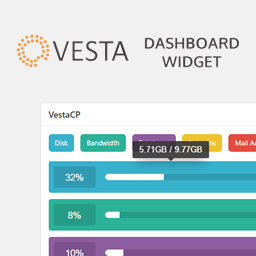
A simple plugin that shows the following stats from your VestaCP account:
- Disk Usage
- Bandwidth Usage
- Database Usage
- Web Domain Usage
- Mail Account Usage
To generate an API key, first login to the server as root and run the command:
/usr/local/vesta/bin/v-generate-api-key
Screenshots


Installation
Use the automatic installer via WordPress or download the plugin and:
- Upload the plugin files to the
/wp-content/plugins/vestacp-dashboard-widgetdirectory - Activate the plugin through the ‘Plugins’ screen in WordPress
- View the Dashboard to configure the settings.
Reviews

2017-06-22
Excellent, using with all new clients. Thanks!

2017-05-17
Works great – pulls everything from VestaCP!
Contributors & Developers
“VestaCP/myVesta Dashboard Widget” is open source software. The following people have contributed to this plugin.
Contributors
Translate “VestaCP/myVesta Dashboard Widget” into your language.
Interested in development?
Browse the code, check out the SVN repository, or subscribe to the development log by RSS.
Changelog
1.4
- Version bump + fixes
1.3
- Database variable was incorrect. Switched to ‘U_DATABASES’ instead.
1.2
- Option to Verify SSL. This was enabled by default, but a lot of VestaCP servers come with self-signed certificates.
1.1
- Fix. WP options set even if Vesta information was wrong.
1.0
- Initial release.