

Description
Lucrativeit – Subscription & Recurring Billing(WPBillify) is a powerful WordPress subscription and recurring billing plugin that helps you create, sell, and manage subscription plans directly from your WordPress website.
Whether you’re building a SaaS platform, membership website, fitness club, coaching business, digital service, or any subscription-based business, WPBillify provides everything you need to automate recurring billing and manage subscribers without relying on third-party eCommerce platforms.
Create unlimited subscription plans, manage subscribers, automate recurring invoices, track payments, and grow your recurring revenue with an intuitive admin dashboard.
Built-in billing engine (free)
- Subscriptions, invoices, and recurring billing
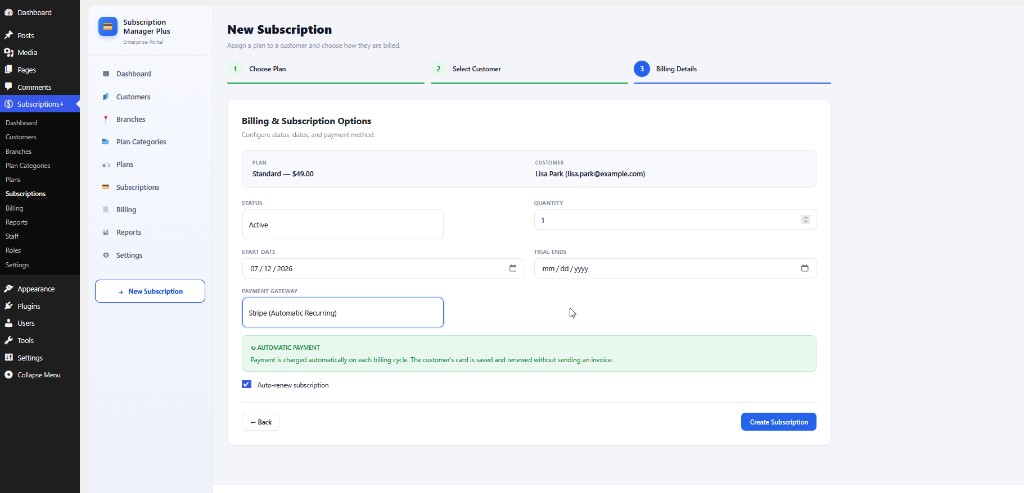
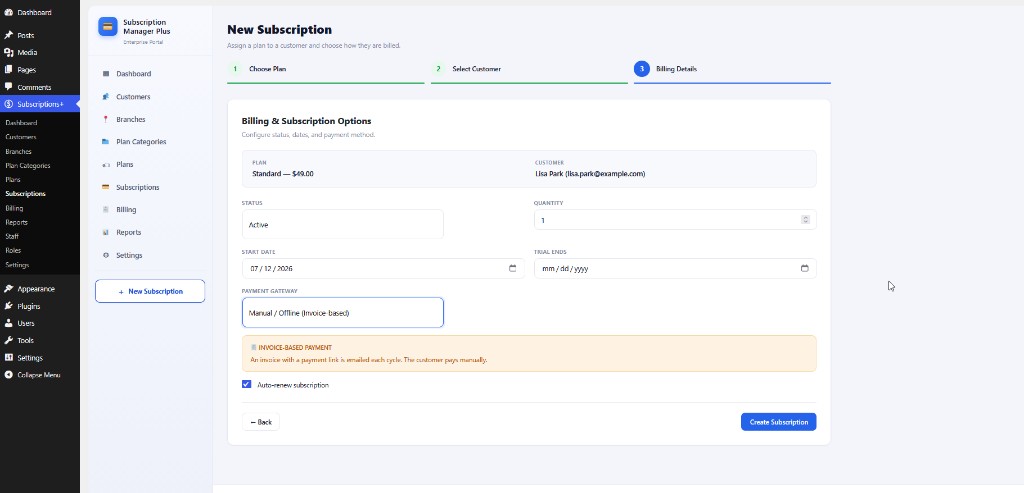
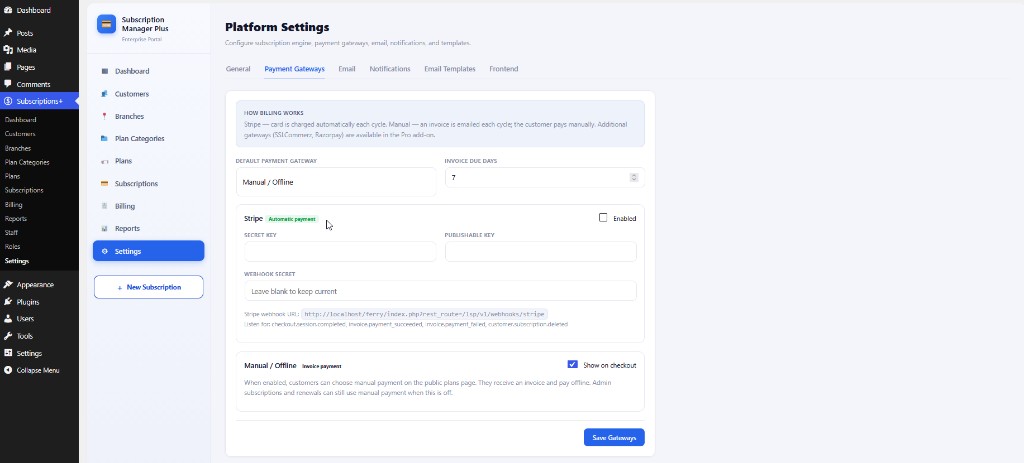
- Payment gateways: Stripe (automatic card charges each cycle), Manual, SSLCommerz, Razorpay, and PayPal (invoice / payment-link based)
- Public pricing pages with shortcodes and on-page checkout
Admin modules
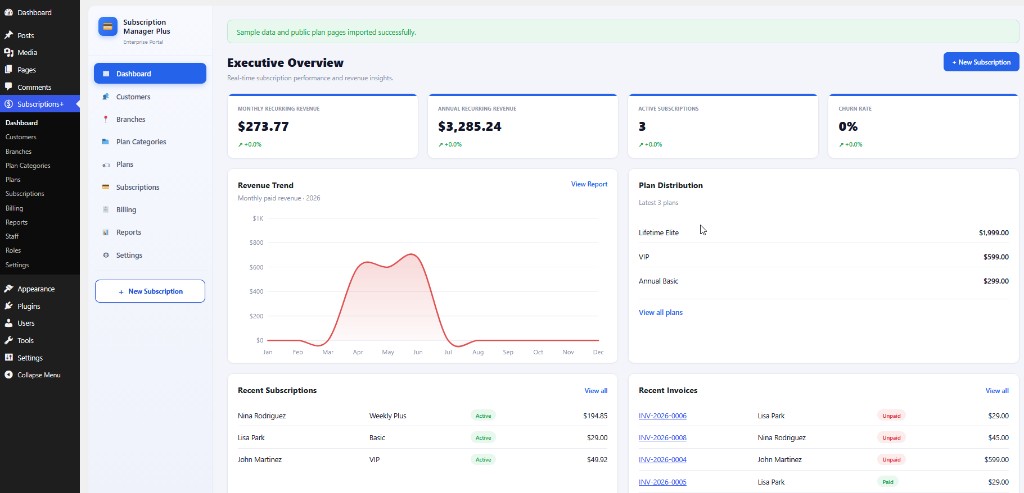
- Executive dashboard (MRR, ARR, active subscriptions, churn, revenue growth)
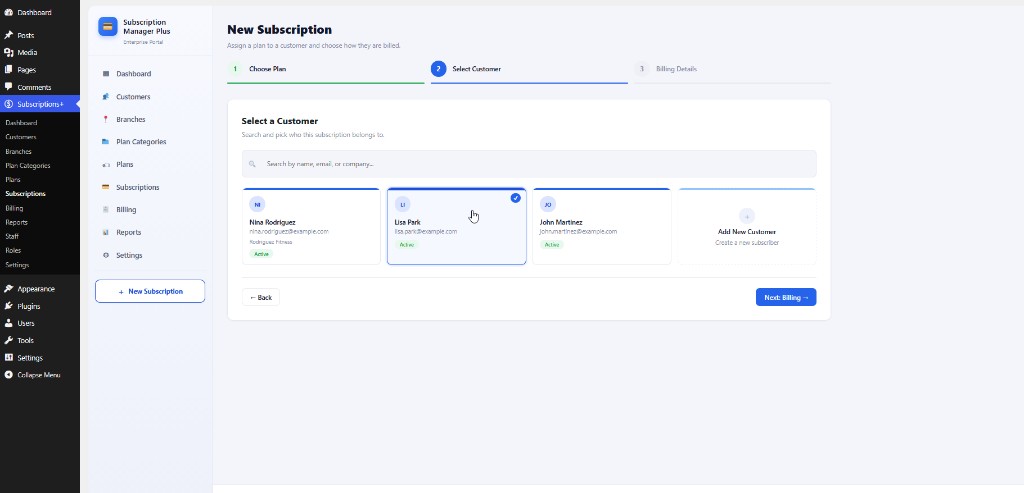
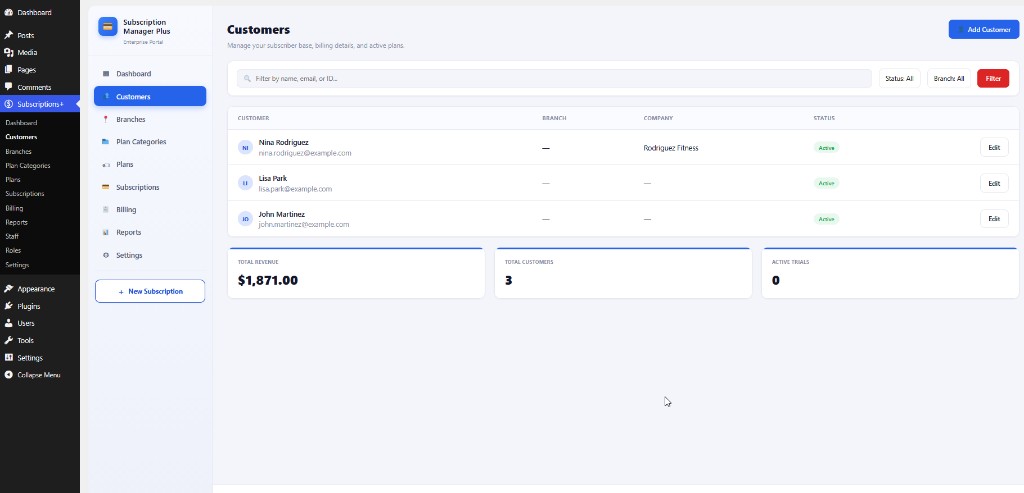
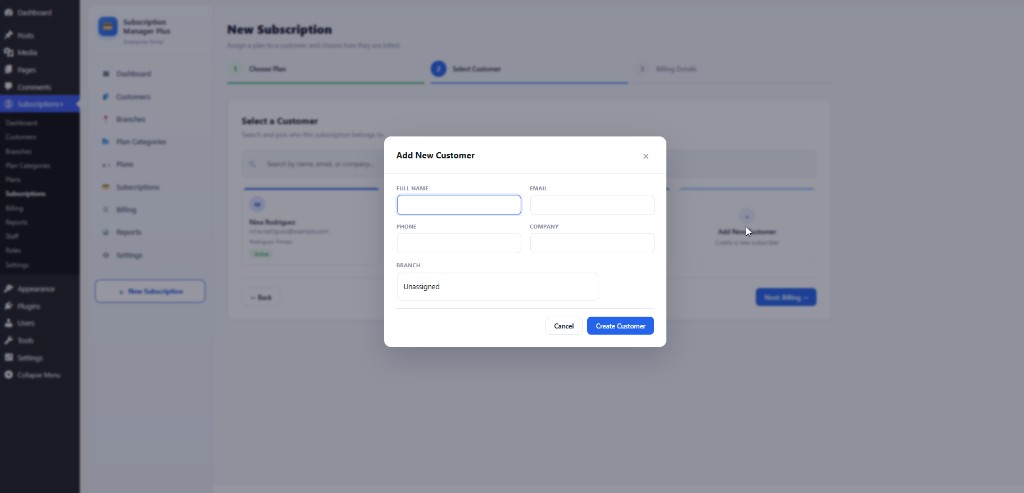
- Customers with branch assignment and filtering
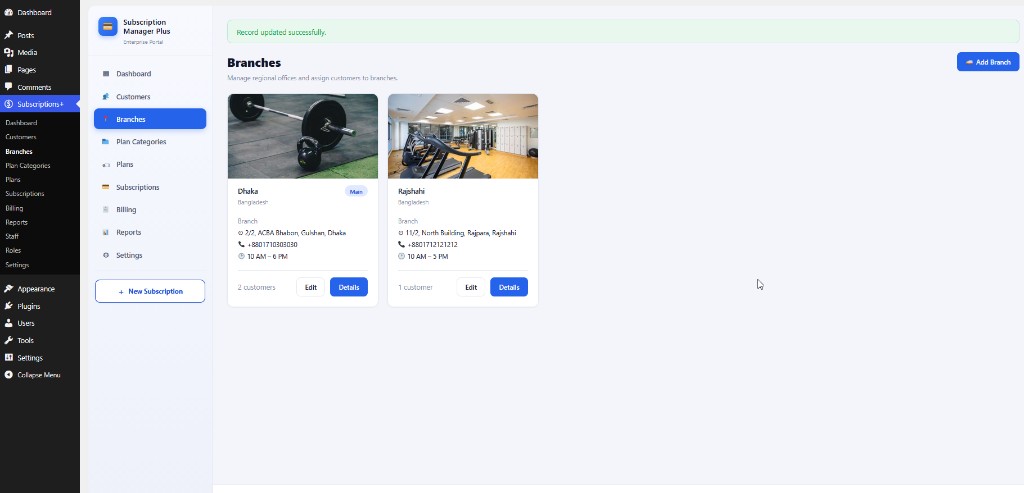
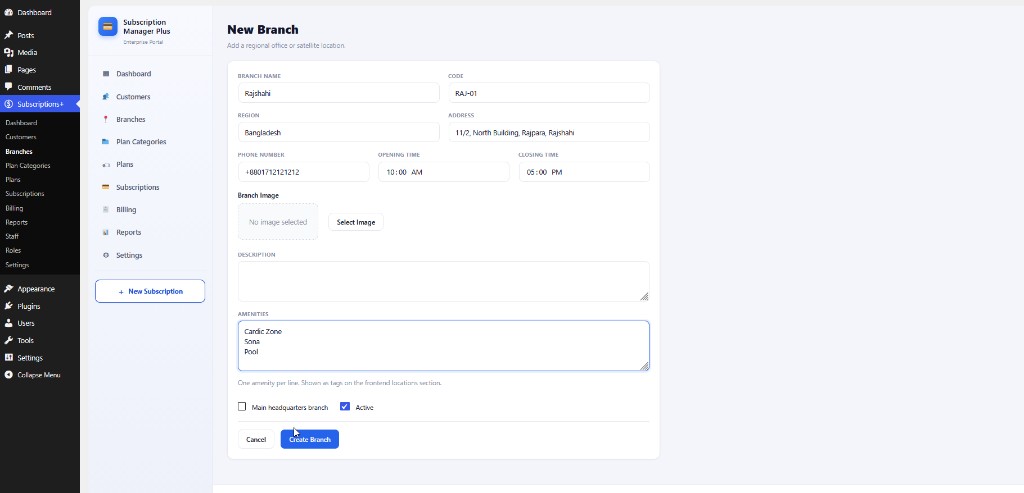
- Branches (regional offices with images, amenities, and opening hours)
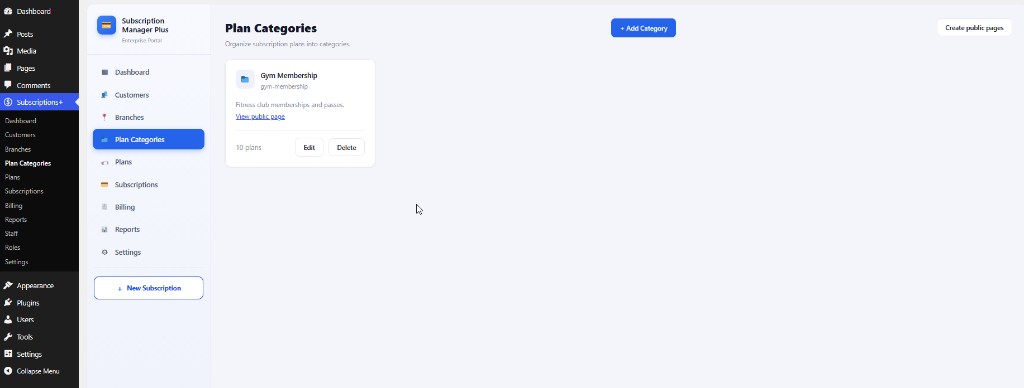
- Plan categories (group plans for gyms, SaaS, ISP, coaching, and more)
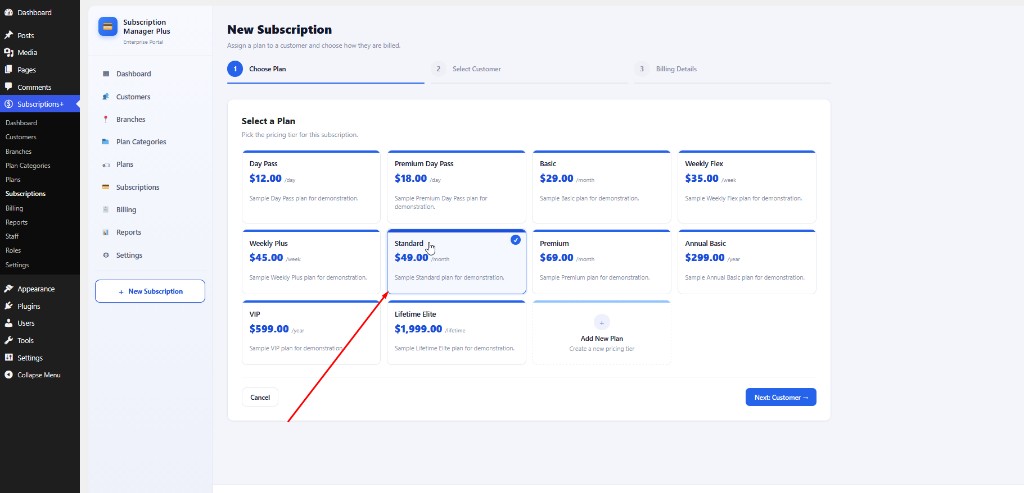
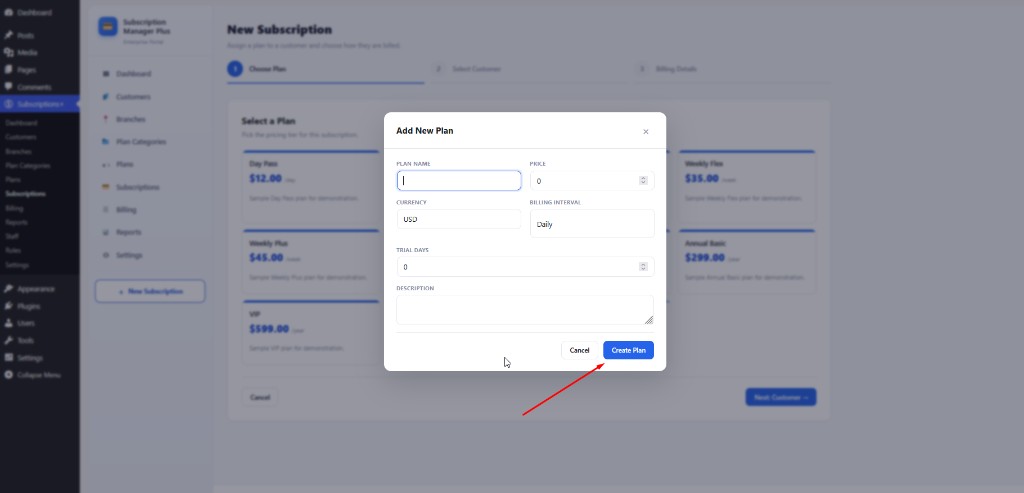
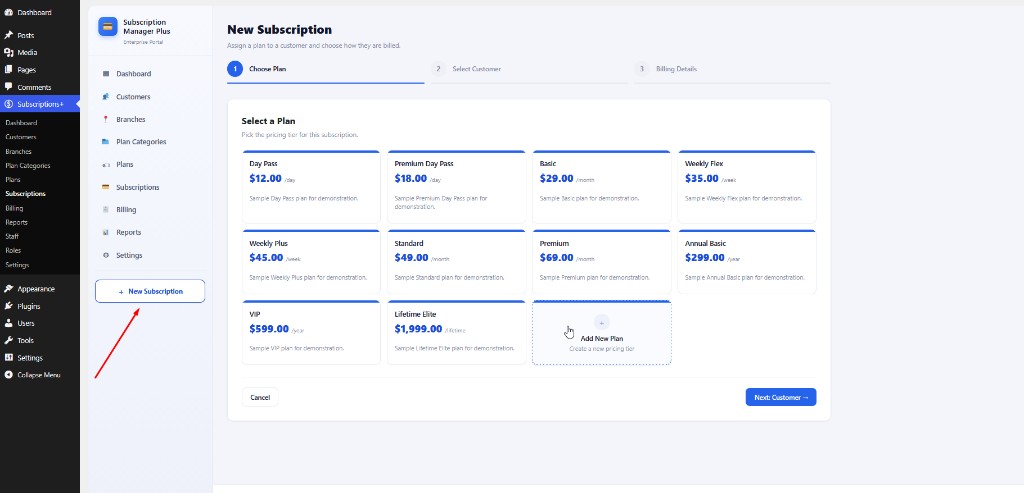
- Plans (pricing tiers, daily/weekly/monthly/yearly/lifetime intervals, trials, features)
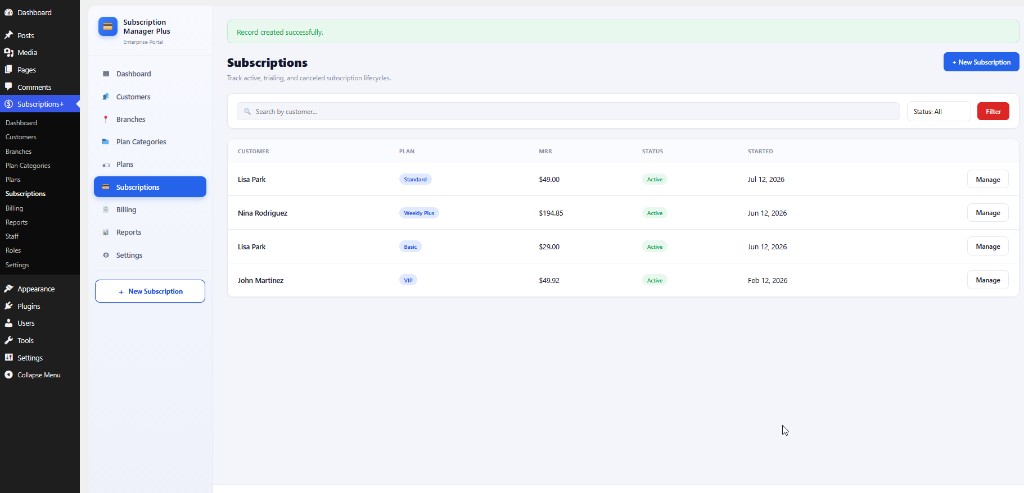
- Subscriptions (lifecycle: trialing, active, past_due, canceled)
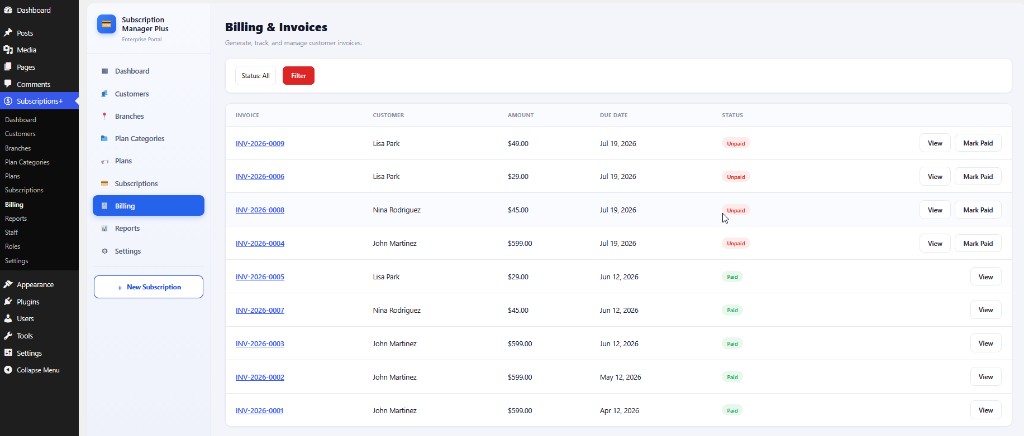
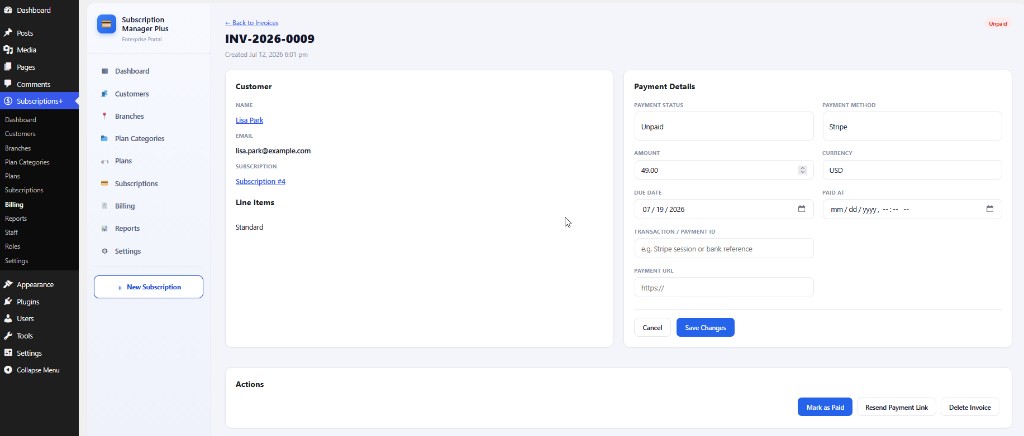
- Billing & invoices (mark paid, payment links)
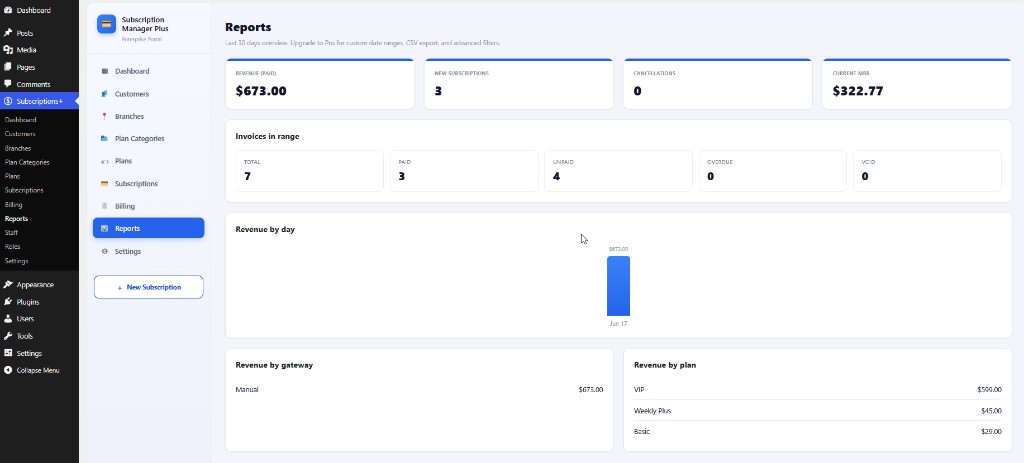
- Reports (last 30 days overview; custom ranges and CSV export in Pro)
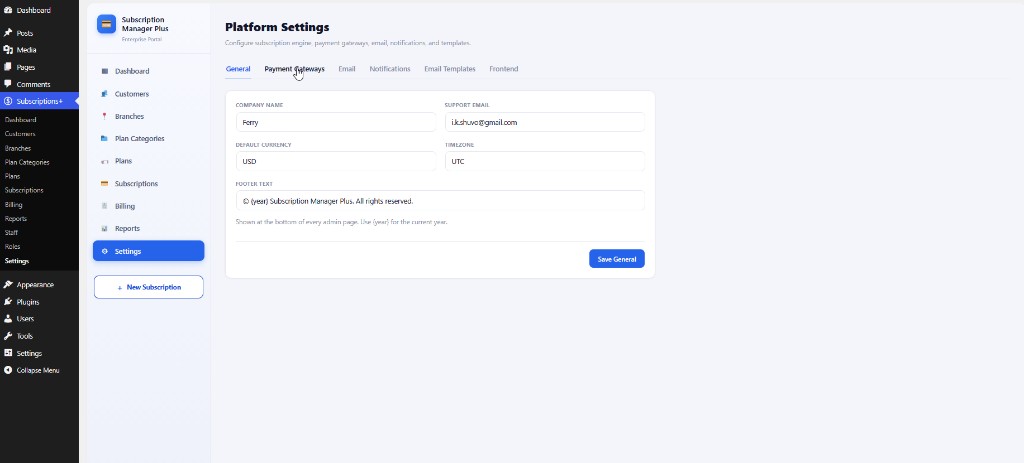
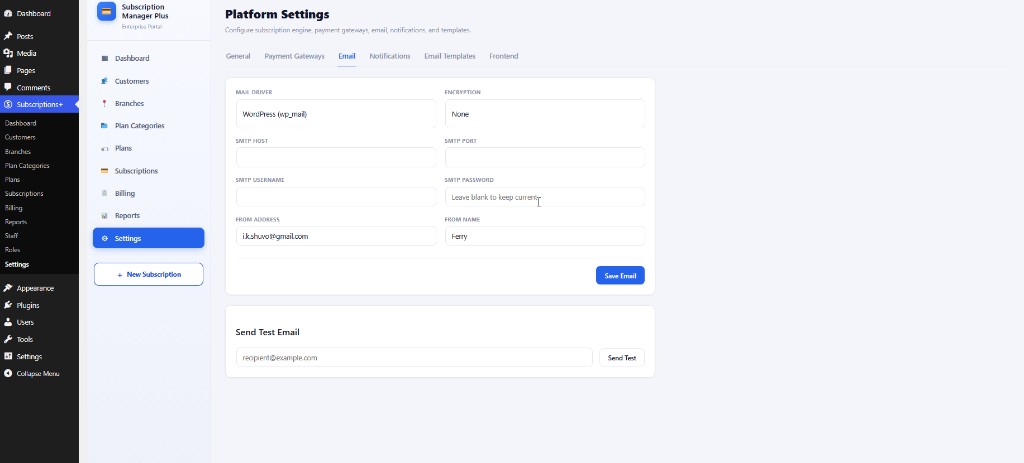
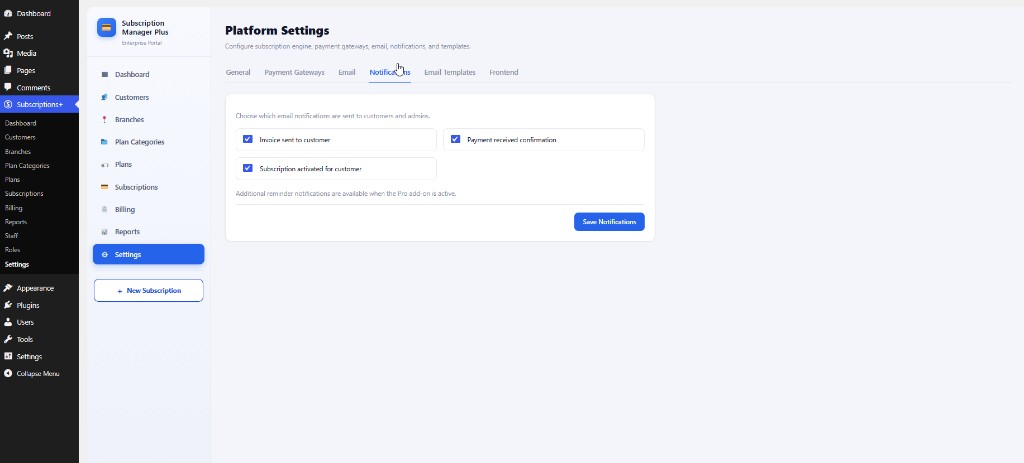
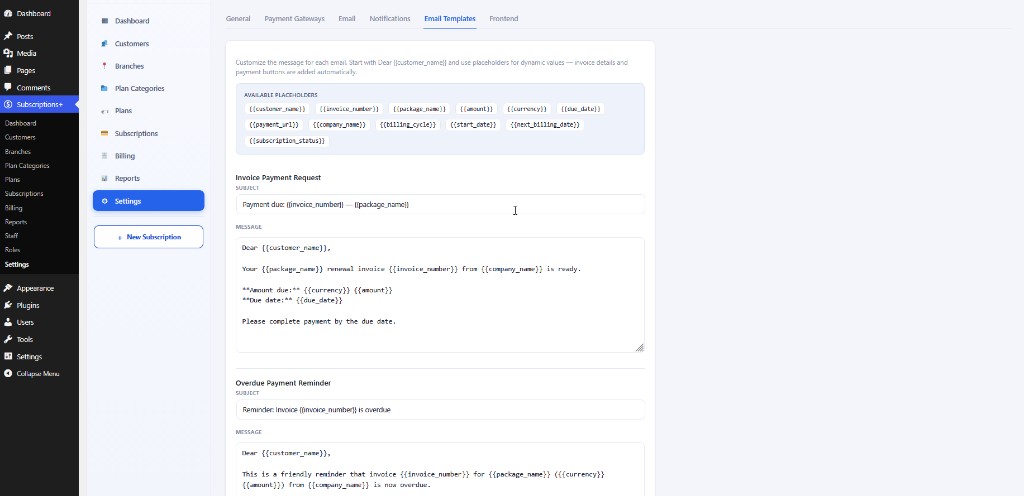
- Settings: General, Payment Gateways, Email/SMTP, Notifications, Email Templates, Frontend
Public frontend
Sell subscriptions on any WordPress page with shortcodes and on-page checkout:
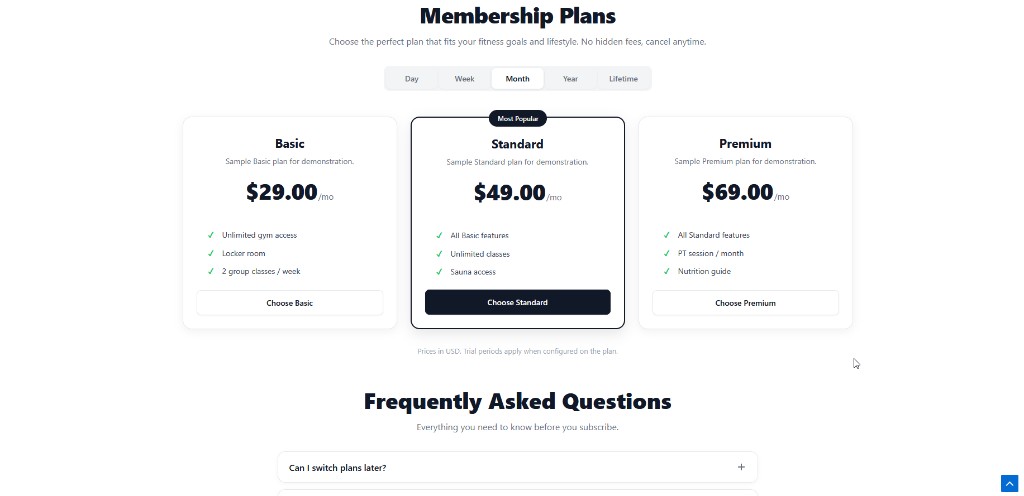
- Responsive pricing-table layout with interval tabs (Day, Week, Month, Year, Lifetime)
- Optional hero banner, branch locations grid, and FAQ accordion
- Customer checkout collects name, email, and phone; redirects to the selected gateway or emails a manual invoice
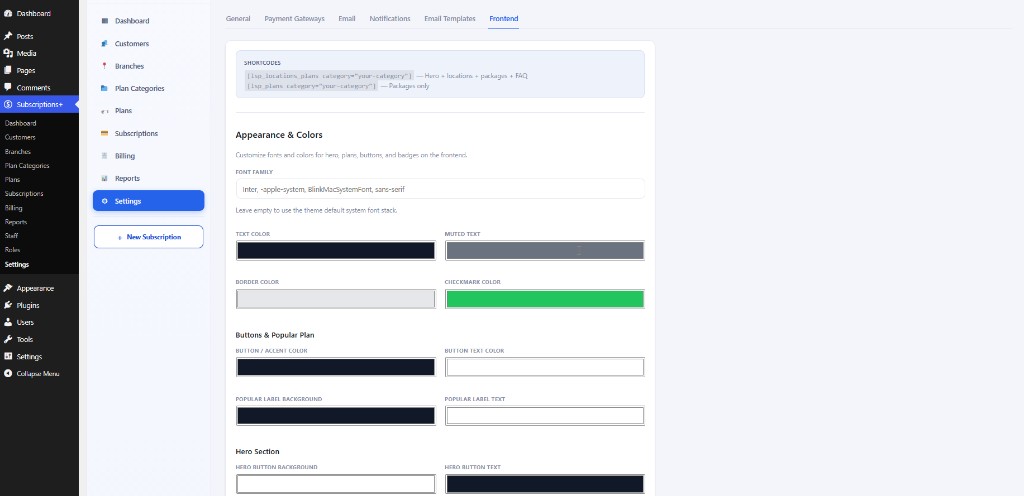
- Appearance controls for colors, fonts, and badges under Settings Frontend
Setup wizard & demo data
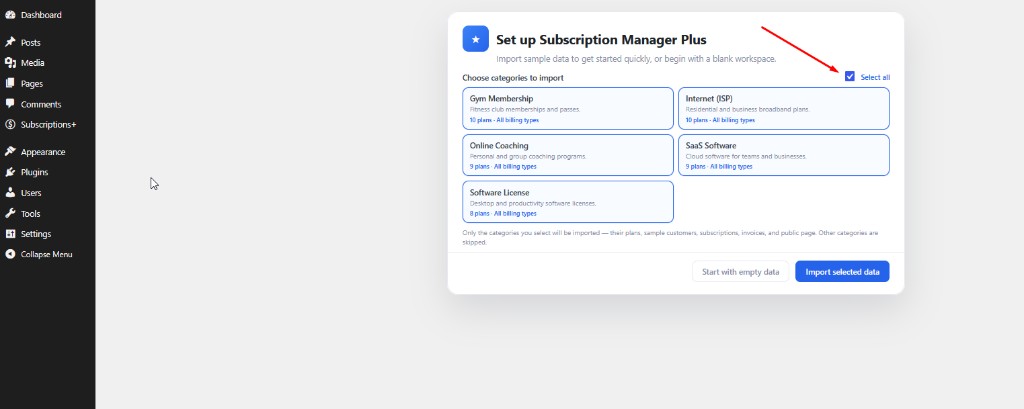
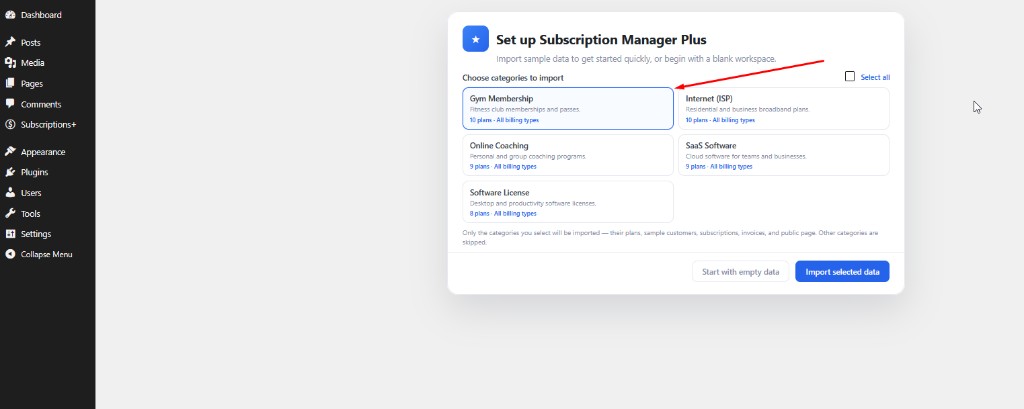
After activation, a setup wizard lets you import sample categories (Gym Membership, Internet ISP, Online Coaching, SaaS Software, Software License) with plans, customers, subscriptions, invoices, and public pages — or start with a blank workspace.
Pro add-on
Premium features ship in a separate add-on (not included in this free plugin):
- Staff management and module-based roles
- Email header logo and footer branding
- PDF invoices (download and email attachments)
- Advanced reports (custom date range, branch/plan/customer filters, CSV export)
- Automated notification reminders (renewal, payment failed, overdue)
Explore the demo:
Shortcodes
[lucrsure_locations_plans category="your-category-slug"]
Full membership page: hero section + branch locations + pricing table + FAQ. Use the category slug (recommended), not the numeric ID.
[lucrsure_plans category="your-category-slug"]
Pricing table and checkout only.
[lucrsure_hero title="Your headline" image_path="https://example.com/hero.jpg"]
Hero section only. Pass title and image_path (or image) to override the global settings. Optional: subtitle, button_text, button_url, image_id.
[lucrsure_locations]
Branch locations grid only. Optional: heading, subtitle, branches (comma-separated branch IDs).
[lucrsure_faq]
FAQ accordion only. Optional: heading, subtitle. FAQ items come from Settings Frontend.
Common attributes
category— plan category slug (required for plan shortcodes)interval— default billing tab:day,week,month,year, orlifetime(default:month)show_intervals—yesorno(default:yes)popular— plan ID to highlight with a “Most Popular” badgeshow_hero,show_locations,show_faq—yesorno(override Settings Frontend defaults)branches— comma-separated branch IDs for the locations sectiontitle,image_path— hero title and image URL (for[lucrsure_hero]or[lucrsure_locations_plans])
Section headings, FAQ items, and colors are configured under Settings Frontend.
External services
This plugin can connect to third-party payment providers when the corresponding gateway is enabled under Settings Payment Gateways. No payment API calls are made unless that gateway is configured and a customer starts checkout (or a webhook/IPN is received).
Stripe
Used for Stripe Checkout and automatic recurring card charges.
- When a customer checks out with Stripe, the plugin sends order data (amount, currency, line items) and, depending on configuration, customer details (such as name and email) to create a Checkout Session.
- Stripe may also send webhook events to your site to confirm payment status.
- Provider: Stripe, Inc.
- Terms of Service: https://stripe.com/legal/consumer
- Privacy Policy: https://stripe.com/privacy
SSLCommerz
Used for invoice-based / hosted payment sessions in Bangladesh and supported regions.
- When a customer pays an invoice via SSLCommerz, the plugin sends transaction details (amount, currency, invoice reference, and customer contact fields required by the gateway) to create a payment session and redirect the buyer.
- SSLCommerz may send Instant Payment Notifications (IPN) to your site to confirm payment status.
- Provider: SSLCOMMERZ (Software Shop Limited)
- Terms of Service: https://sslcommerz.com/terms-and-conditions/
- Privacy Policy: https://sslcommerz.com/privacy-policy/
Razorpay
Used for invoice-based payment links in India and supported regions.
- When a customer pays via Razorpay, the plugin sends payment-link data (amount, currency, invoice reference, and customer contact fields) to create a Razorpay payment link.
- Razorpay may send webhook events to your site to confirm payment status.
- Provider: Razorpay Software Private Limited
- Terms of Service: https://razorpay.com/terms/
- Privacy Policy: https://razorpay.com/privacy/
PayPal
Used for PayPal Checkout (Orders API) payment flows.
- When a customer pays via PayPal, the plugin sends order data (amount, currency, invoice reference, and return/cancel URLs) to create a PayPal order and redirect the buyer.
- PayPal may send webhook events to your site to confirm capture/payment status.
- Provider: PayPal, Inc.
- Terms of Service: https://www.paypal.com/us/legalhub/paypal/useragreement-full
- Privacy Policy: https://www.paypal.com/us/legalhub/privacy-full
Screenshots


Installation
- Upload the plugin folder to
/wp-content/plugins/and keep the folder name intact. - Activate the plugin through the Plugins menu in WordPress. Database tables and default settings are created automatically.
- Complete the Setup wizard: import selected demo categories or choose Start with empty data.
- Open Recurring Billing in the admin menu.
- Configure gateways under Settings Payment Gateways (Stripe, Manual, SSLCommerz, Razorpay, and/or PayPal).
- Create plans under Plan Categories and Plans, then publish public pages:
- Use Plan Categories Create public pages to generate WordPress pages with
[lucrsure_locations_plans]shortcodes, or - Place shortcodes manually on any page (see below).
- Use Plan Categories Create public pages to generate WordPress pages with
- Customize the public layout under Settings Frontend (hero, locations, plans heading, FAQ, appearance).
FAQ
-
Which gateways charge cards automatically?
-
Stripe supports automatic recurring billing. Manual, SSLCommerz, Razorpay, and PayPal are invoice-based: an invoice or payment link is emailed each cycle and the customer pays manually.
-
Do I need another e-commerce plugin?
-
No. This plugin is self-contained with its own billing engine, checkout shortcodes, and built-in payment gateways (Stripe, Manual, SSLCommerz, Razorpay, and PayPal).
-
How do I display plans on my site?
-
Create a plan category, add active plans, then either click Create public pages on the Plan Categories screen or add
[lucrsure_locations_plans category="your-slug"]to any WordPress page. Customize the hero, locations, and FAQ under Settings Frontend. -
Can I sell daily, weekly, or lifetime plans?
-
Yes. Plans support daily, weekly, monthly, yearly, and lifetime billing intervals. The public pricing table shows interval tabs for every interval that has at least one active plan in the category.
-
What does the demo import include?
-
For each selected category it creates the category, sample plans (all billing types), customers, subscriptions, invoices, a public WordPress page with the full shortcode layout, and a hub page linking all category pages.
Reviews
There are no reviews for this plugin.
Contributors & Developers
“Lucrativeit Subscription & Recurring Billing” is open source software. The following people have contributed to this plugin.
Contributors
Translate “Lucrativeit Subscription & Recurring Billing” into your language.
Interested in development?
Browse the code, check out the SVN repository, or subscribe to the development log by RSS.
Changelog
1.0.2
- Added SSLCommerz, Razorpay, and PayPal payment gateways to the free plugin (including settings UI, checkout, and webhook/IPN handlers).
- Added billing address in the checkout process.
1.0.1
- Stripe and Manual payment gateways; Pro add-on remains available for staff, roles, PDF invoices, email branding, reminders, and advanced reports.
- Initial release features: admin portal, built-in billing engine, setup wizard, and demo data import.
- Plan categories, branches (with amenities and images), and flexible billing intervals.
- Public shortcodes (
[lucrsure_plans],[lucrsure_hero],[lucrsure_locations],[lucrsure_faq],[lucrsure_locations_plans]) with pricing table, hero, locations, FAQ, and on-page checkout. - Frontend appearance settings and automatic public page creation.