

Description
Novixa Addons is an independent collection of creative, lightweight widgets for Elementor, with a clean dashboard for enabling only the elements you need. Every widget lives in its own module, so disabling the ones you don’t use keeps your site fast and your Elementor panel uncluttered.
Widgets included
- Heading — a flexible heading widget with highlighted-text and sub-title support, plus alignment, typography, text stroke, text shadow, blend mode, and normal/hover colors.
- Dual Color Heading — a heading split into two text runs, each with its own independent color, typography, and normal/hover states — useful for highlighting part of a title in an accent color.
- Text Editor — a rich-text editor widget with drop-cap and column support, alongside alignment, typography, text shadow, paragraph spacing, and normal/hover colors.
- Icon Box — a luxury icon box with icon shape, hover lift animation, box shadow, and normal/hover icon colors.
- Diamond Icon Box — an icon box with a rotated diamond-outline icon shape, ideal for feature-grid sections.
- Image Box — a luxury image box with hover zoom/grayscale effects and flexible left/right/top layout.
- Button — a button widget with a Uiverse.io-style blob hover effect, including two built-in skins (Modern Solid gradient and Modern Outline).
- Overlay Button — a button with a hover overlay effect, where a small color chip expands to fill the button on hover.
- Icon Accordion — expandable panels, each with its own icon, heading, and content.
- Accordion — a simple plus/minus accordion, with optional FAQ schema (JSON-LD) output.
- Tabs — a set of labeled tabs with Direction, Justify, and Align Title layout controls.
- Tabs (Nested, Experimental) — tabs where each panel is a real Elementor container you can drag any widget into. Requires the “Container” and “Nested Elements” experiments to be active in Elementor.
- Image Caption Card — a full-bleed image card with a caption over a gradient scrim; switch on “Show Description” and “Show Button” to turn it into a premium Call-to-Action card, complete with hover lift, image zoom, and a gold-accented pill button.
- Gradient Text Effect — headings with a moving/gradient color fill, independent typography per line, and full control over the gradient’s colors and angle.
- Content Reveal on Hover — an image card whose title, description, and buttons stay tucked away until the visitor hovers (or focuses, for keyboard/touch users), then smoothly expand into view.
- Counter — a premium animated count-up number with an optional icon, prefix/suffix and title. Counts up smoothly once it scrolls into view, and respects visitors’ “reduce motion” preference.
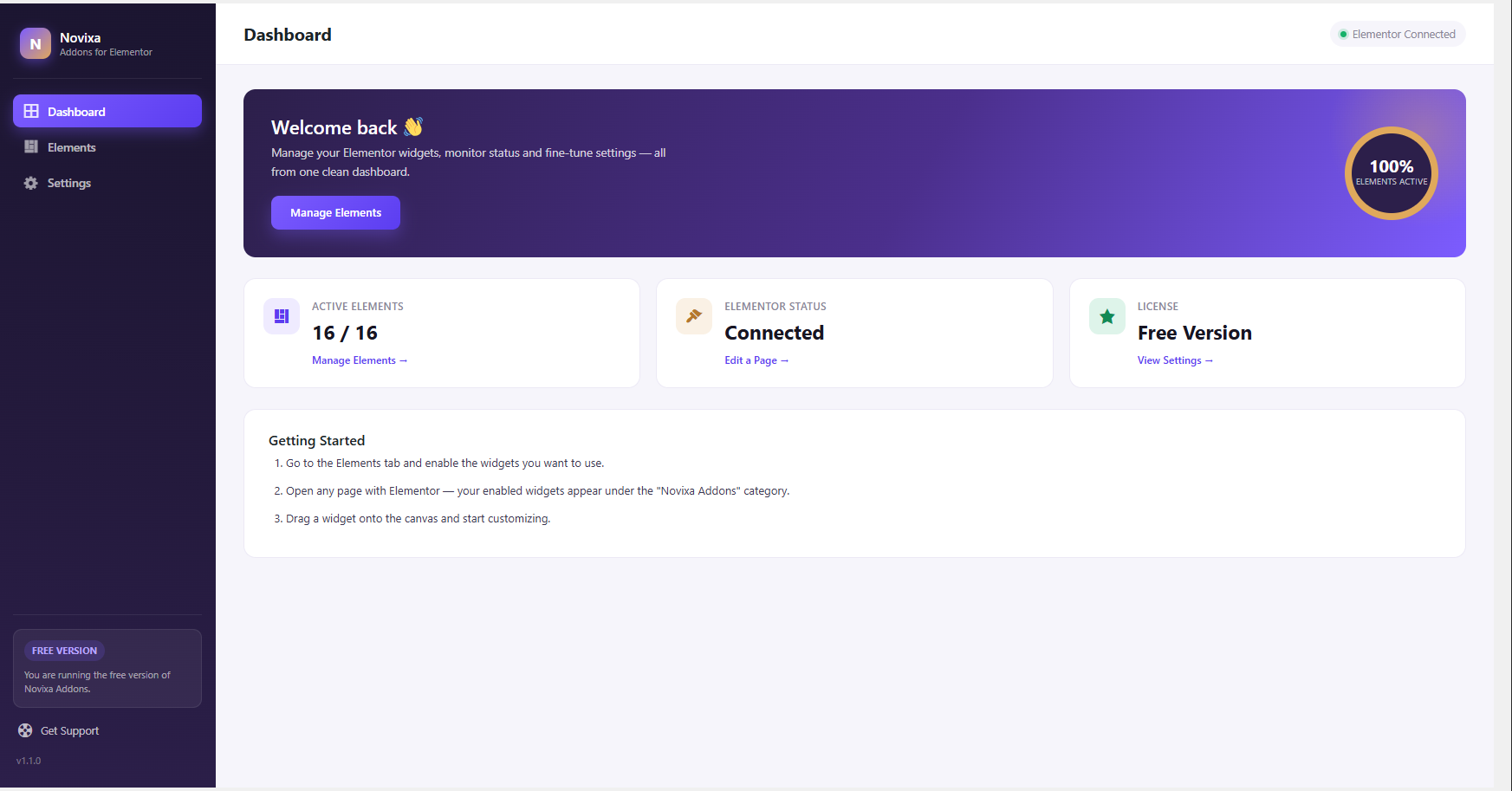
All settings live under Novixa Addons in your wp-admin menu, with a dedicated Elements screen for toggling widgets on/off.
Screenshots
Installation
- Upload the
novixa-addons-for-elementorfolder to/wp-content/plugins/. - Activate the plugin through the ‘Plugins’ menu in WordPress.
- Make sure Elementor is installed and active.
- Go to Novixa Addons > Elements to enable the widgets you want.
FAQ
-
Does this require Elementor?
-
Yes, Elementor (free version) must be installed and active.
-
Can I disable widgets I don’t use?
-
Yes, go to Novixa Addons > Elements and toggle any widget off. Disabled widgets are not loaded on the front end.
-
The Nested Tabs widget is marked experimental — why?
-
It relies on Elementor’s internal Nested Elements system rather than a stable public API, so its behavior can vary across Elementor versions and requires the “Container” and “Nested Elements” experiments to be enabled. All other widgets are fully stable.
Reviews
There are no reviews for this plugin.
Contributors & Developers
“Novixa Addons for Elementor” is open source software. The following people have contributed to this plugin.
Contributors
Translate “Novixa Addons for Elementor” into your language.
Interested in development?
Browse the code, check out the SVN repository, or subscribe to the development log by RSS.
Changelog
1.1.0
- New widget: Counter
1.0.2
- New widget: Image Caption Card
- New widget: Gradient Text Effect
- New widget: Content Reveal on Hover
1.0.1
- New widget: Dual Color Heading
- New widget: Icon Box
- New widget: Diamond Icon Box
- New widget: Image Box
- New widget: Button
- New widget: Overlay Button
- New widget: Icon Accordion
- New widget: Accordion
- New widget: Tabs
- New widget: Tabs (Nested, Experimental)
1.0.0
- Initial release: Heading and Text Editor widgets, dashboard, elements manager, settings screen.